
User Permissions
Grant or revoke individual permissions for one specific person, directly — for anything not covered by giving them a User Group role.
Permissions
| Action | Who can do it |
|---|---|
| View and change someone's individual permissions | Users with rights to assign permissions (either "owned" or "all") |
What you can pick from depends on your own rights: if you can only assign your own permissions, you'll only be offered permissions you yourself currently have. If you can assign any permission, you'll see everything your own organization has access to.
Viewing and changing someone's permissions
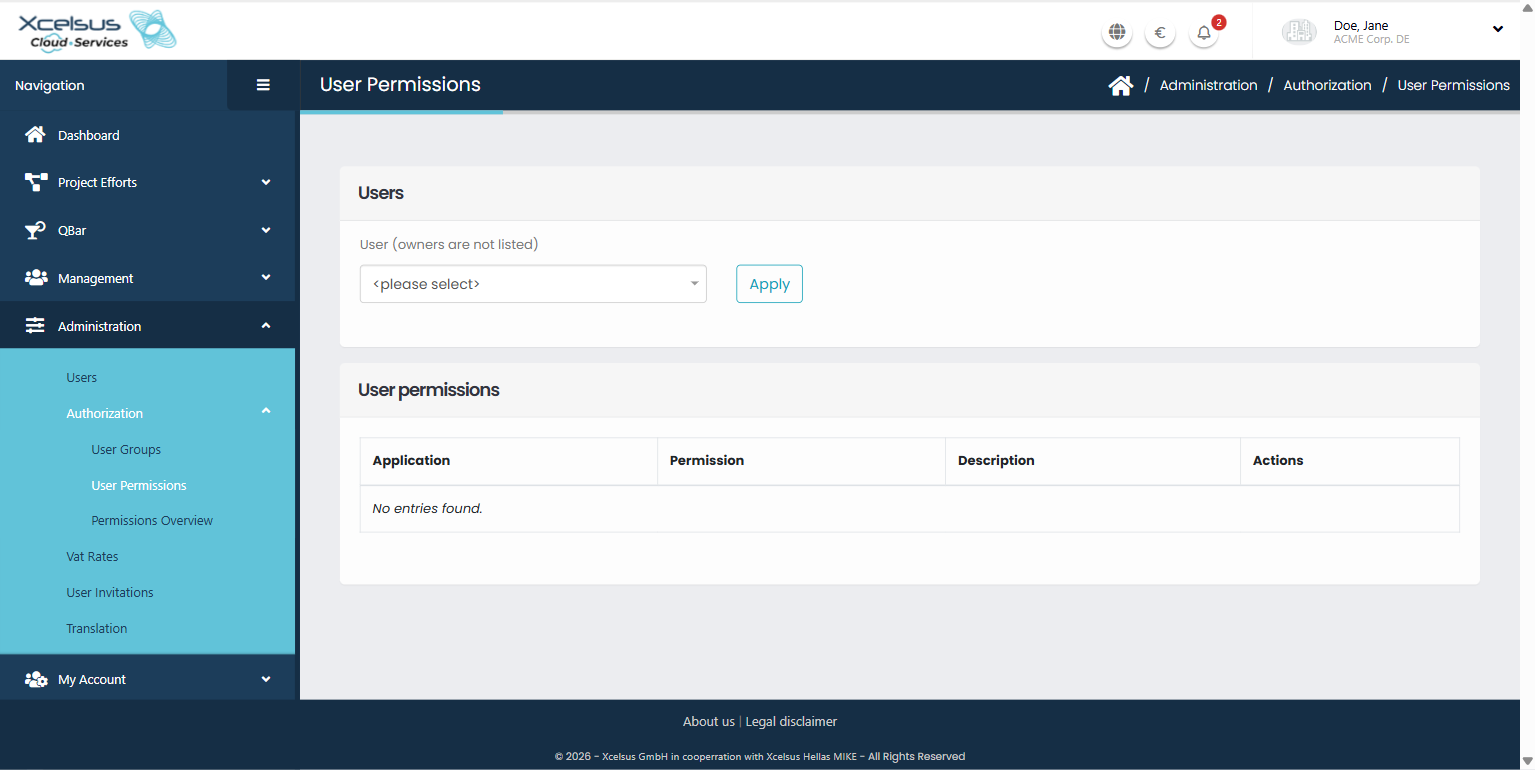
- In the top navigation, click Administration → Authorization → User Permissions.
- Choose a person from the User dropdown (the organization's owner isn't listed — their access always comes from the subscription, not from individual grants) and click Apply.
- The table shows every permission you're allowed to offer, with a toggle switch for each. Permissions the person already has individually are switched on.
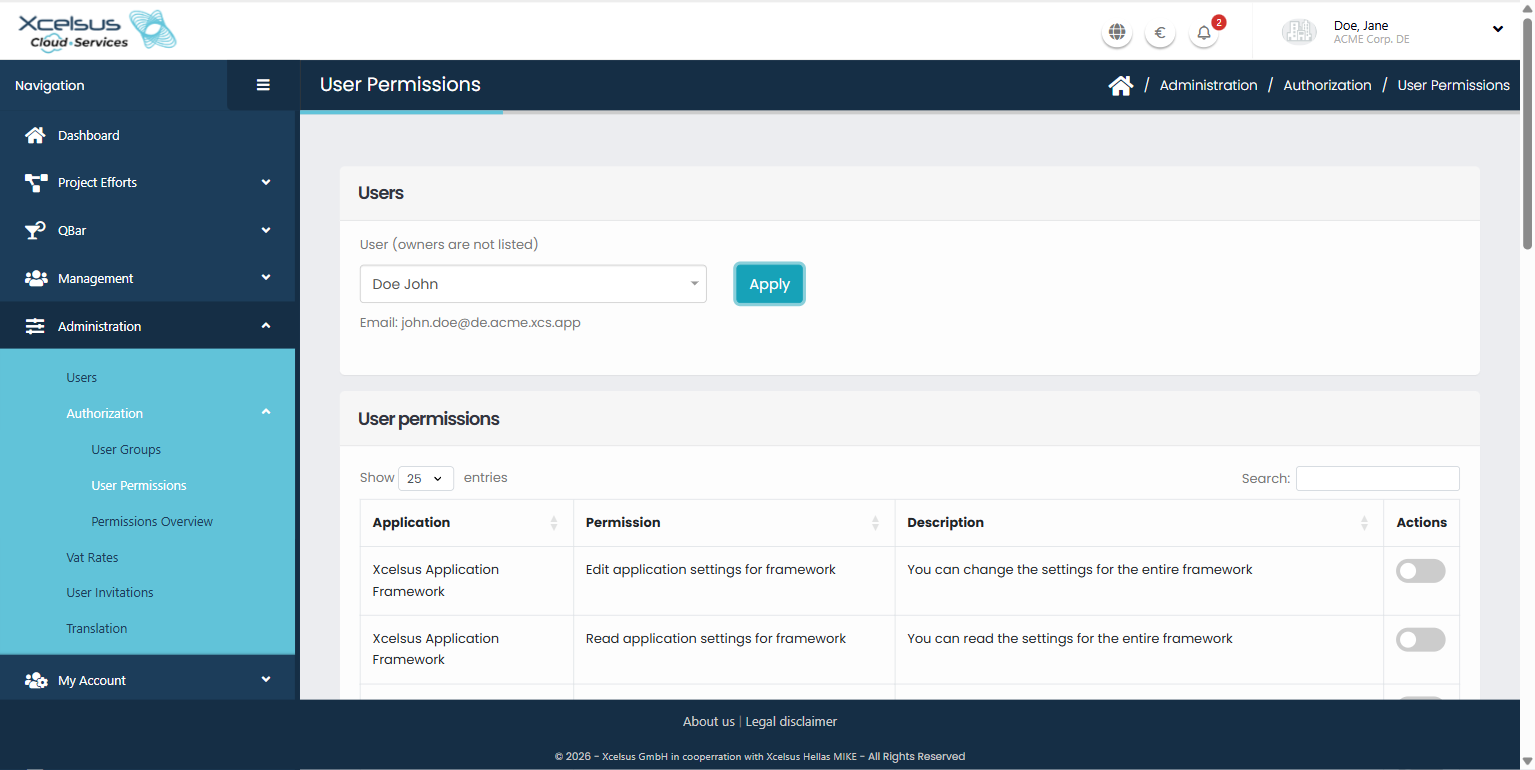
- Switch permissions on or off as needed.
- Click Save. This replaces the person's entire individual permission set with whatever is currently toggled on — it doesn't add to what was there before, so review the full list before saving, not just the switches you meant to change.
How this combines with group membership
A person's actual access is always the combination of what's granted here individually, plus everything every User Group they belong to grants. There's no conflict between the two — granting someone a permission here that they already get from a group is harmless, just redundant.
Troubleshooting
I toggled a permission off, but the person can still do that thing
Check whether they're getting it from a User Group they belong to instead — removing it here only removes the individually-granted copy. You'd need to remove it from the group, or remove them from the group, to fully take it away.
The person I want to change isn't in the dropdown
Organization owners are never listed here — their permissions always come from the organization's subscription and can't be changed individually.
Getting help
If someone's access doesn't match what you expect after saving here, contact **support@xcs.app** with the person's name and the permission in question.